Wake On Lan
Wake On Lan
What Is Wake-on-LAN?
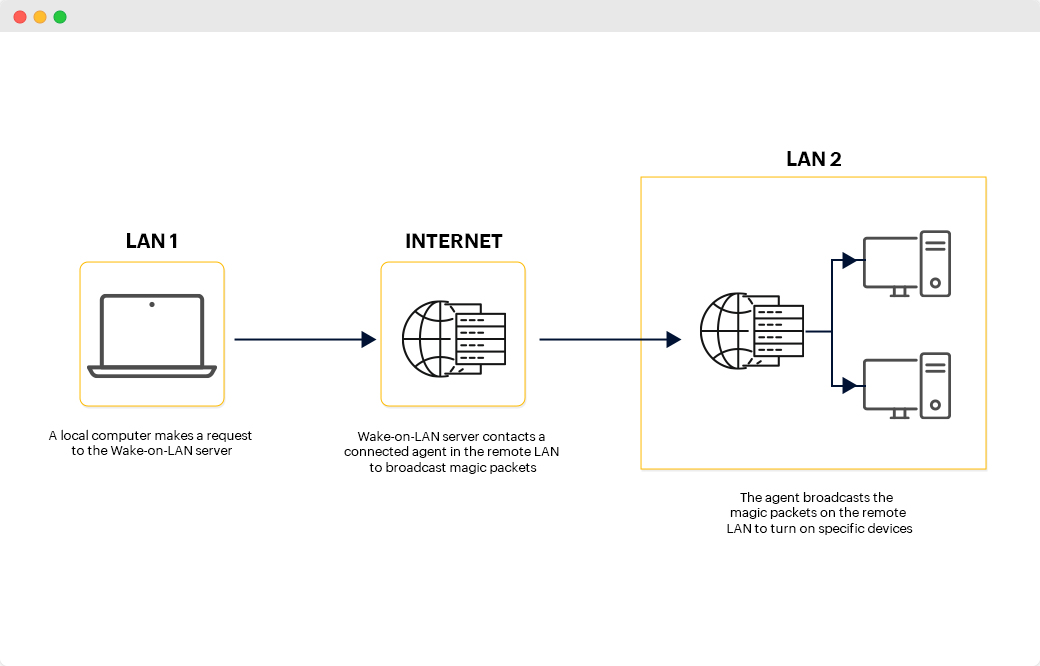
Wake-on-LAN or WOL is a feature that allows you to turn on your PC from another device via the network. It does this by sending a tiny “magic” packet of data from a host computer. The network driver of the receiver computer can receive this data and signal the device to power on.
How to Prepare Your Setup for Wake-on-LAN
Your Ethernet interface is the network card of your device. Every card has a unique name found with the following terminal command:
1
ifconfig OR ip a
Ethtool
Ethtool is an open-source application that allows you to change network driver settings. For wake-on-LAN, it will allow your PC to understand the data it’s receiving.
The command to install ethtool is:
1
sudo apt install ethtool
Next, find out whether your network card supports wake on LAN.
Find Your Interface using ifconfig
SYNTAX -
1
sudo ethtool <Your interface name>
1
sudo ethtool enp2s0
Referred Links -
Article - How to Enable Wake-on-LAN in Ubuntu
This post is licensed under CC BY 4.0 by the author.