Ad-Guard Home self hosted Network wide Ad-Blocker
In the digital age, privacy and security are paramount. With the ever-increasing number of trackers, ads, and potential threats lurking on the internet, finding a robust solution to manage your internet traffic can be a game-changer. Enter AdGuard Home, a comprehensive DNS server that promises to elevate your internet experience by providing enhanced privacy, security, and control. A Pi-Hole Alternative with more advance Features & Web UI.
What is AdGuard Home?
AdGuard Home is an all-in-one solution for network-wide ad blocking, privacy protection, and internet traffic management. Essentially, it functions as a DNS server that you can run on your home network. By filtering DNS requests, AdGuard Home can block ads, trackers, and malicious sites before they even reach your devices.
Key Features of AdGuard Home
Network-Wide Ad Blocking AdGuard Home blocks ads across all devices connected to your network. Unlike browser-based ad blockers, this means no more annoying ads on your smartphones, smart TVs, or any other internet-connected device.
Enhanced Privacy Protection With AdGuard Home, you can block tracking scripts and analytics systems that collect your data. This ensures that your browsing habits remain private and away from prying eyes.
Parental Control AdGuard Home allows you to set up parental controls to restrict access to adult content or other undesirable websites. This feature is particularly useful for households with children.
Customizable Filters You can customize which domains to block or allow, creating a tailored internet experience. AdGuard Home supports multiple blocklists, so you can choose lists that suit your needs or even create your own.
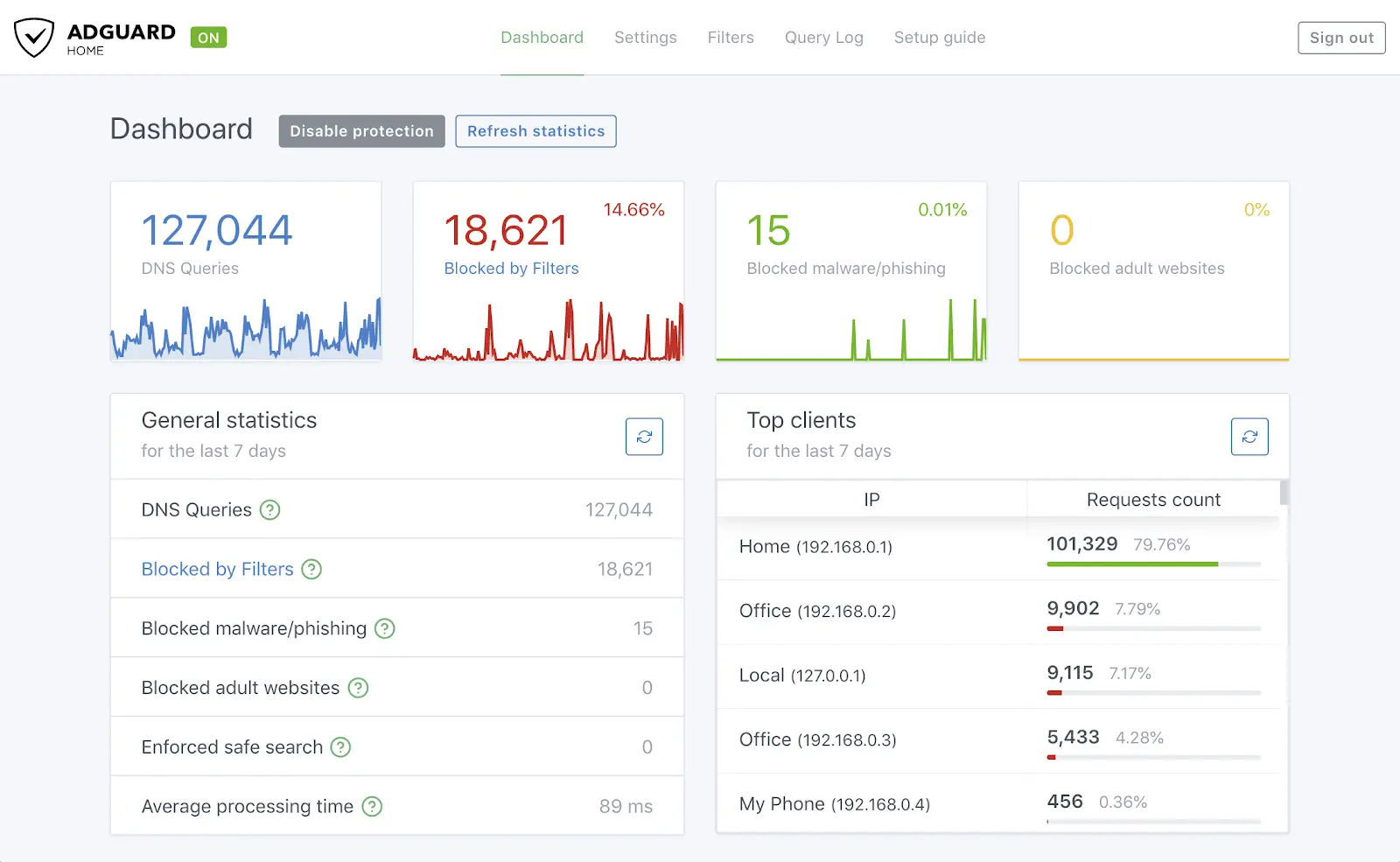
Real-Time Statistics AdGuard Home provides detailed statistics on your network’s DNS queries. This helps you understand which devices are making the most requests and which sites are being accessed frequently.
DNS-over-HTTPS and DNS-over-TLS Support For added security, AdGuard Home supports DNS-over-HTTPS and DNS-over-TLS, which encrypt your DNS queries to prevent eavesdropping and man-in-the-middle attacks.
Setting Up AdGuard Home using Docker:
Setting up AdGuard Home with Docker Compose is straightforward and requires minimal technical expertise. Users can install AdGuard Home on a Raspberry Pi or a Linux server using Docker Compose. Once installed, users configure their router to use AdGuard Home as the default DNS server, enabling network-wide ad blocking.
Deploy using Docker-Compose
1
2
3
4
5
6
7
8
9
10
11
12
13
14
15
16
17
version: "3"
services:
  adguardhome:
    container_name: AdguardHome
    restart: unless-stopped
    image: adguard/adguardhome
    ports:
      - 53:53/tcp
      - 53:53/udp
      - 4000:3000/tcp
      - 81:80/tcp   # Adguard Web-UI is Exposed on Port 81. Change if needed.
      #- 784:784/udp
      #- 853:853/tcp
      #- 853:853/udp
    volumes:
      - /adguard/work:/opt/adguardhome/work
      - /adguard/conf:/opt/adguardhome/conf
- After Deploying to access Web Interface Goto - http://[ip-address]:[PORT]
- Ex - http://100.10.10.6:81
More info at Ad-Guard Github, Ad-Guard Official Website & Ad-Guard Docker Hub
Conclusion
In a world where online privacy and security are increasingly under threat, AdGuard Home provides a robust solution for anyone looking to take control of their internet experience. With its network-wide ad blocking, privacy enhancements, and customizable features, AdGuard Home ensures a safer, cleaner, and more private browsing experience for all devices on your network. Give it a try, and you might find it indispensable for your home network.