NAT vs CGNAT: How One Public IP Can Serve Millions of Devices
Prefer listening? Hear this post read aloud.
NAT vs CGNAT: How One Public IP Can Serve Millions of Devices
If your router’s WAN IP is different from the public IP shown on the internet, you may be behind CGNAT.
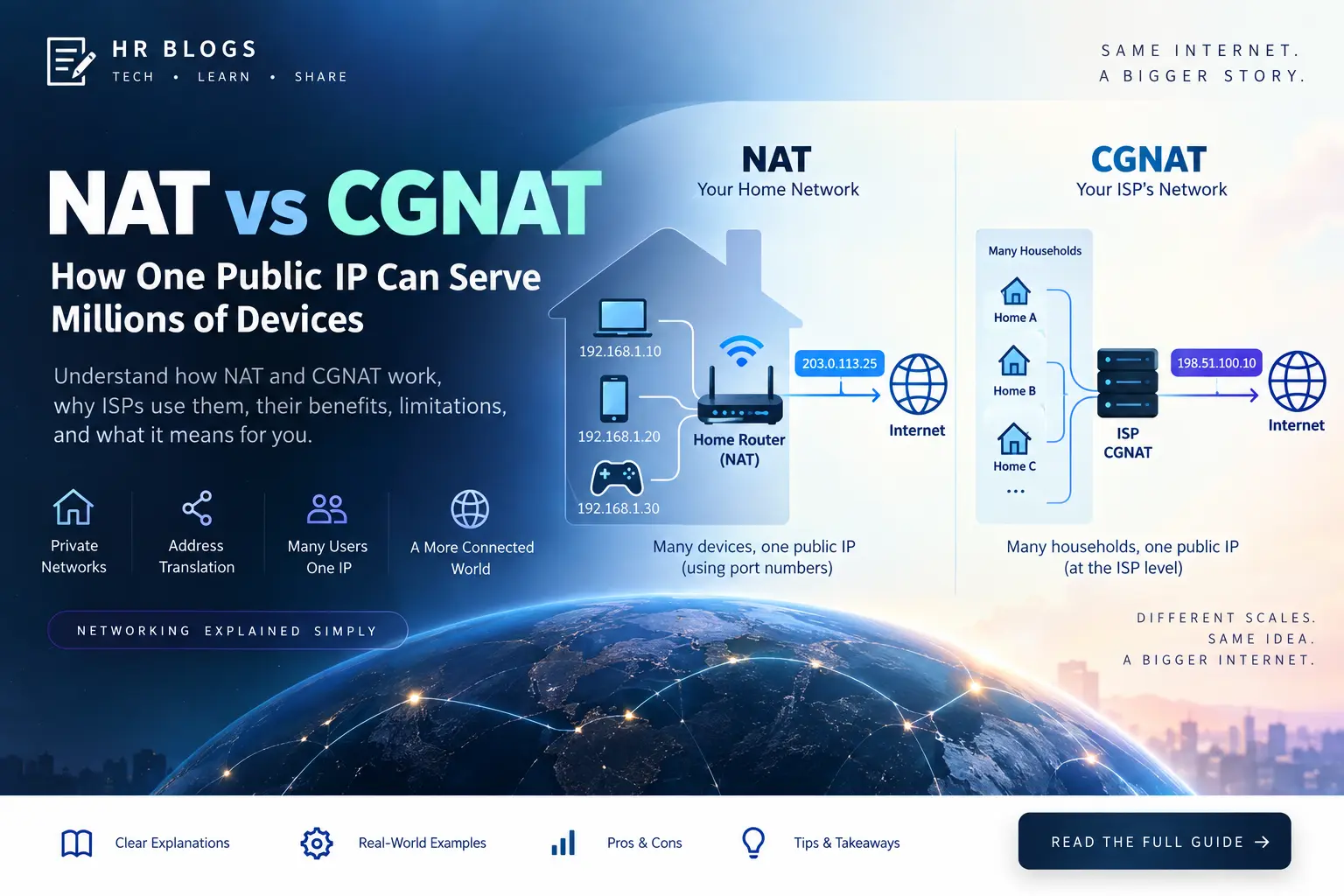
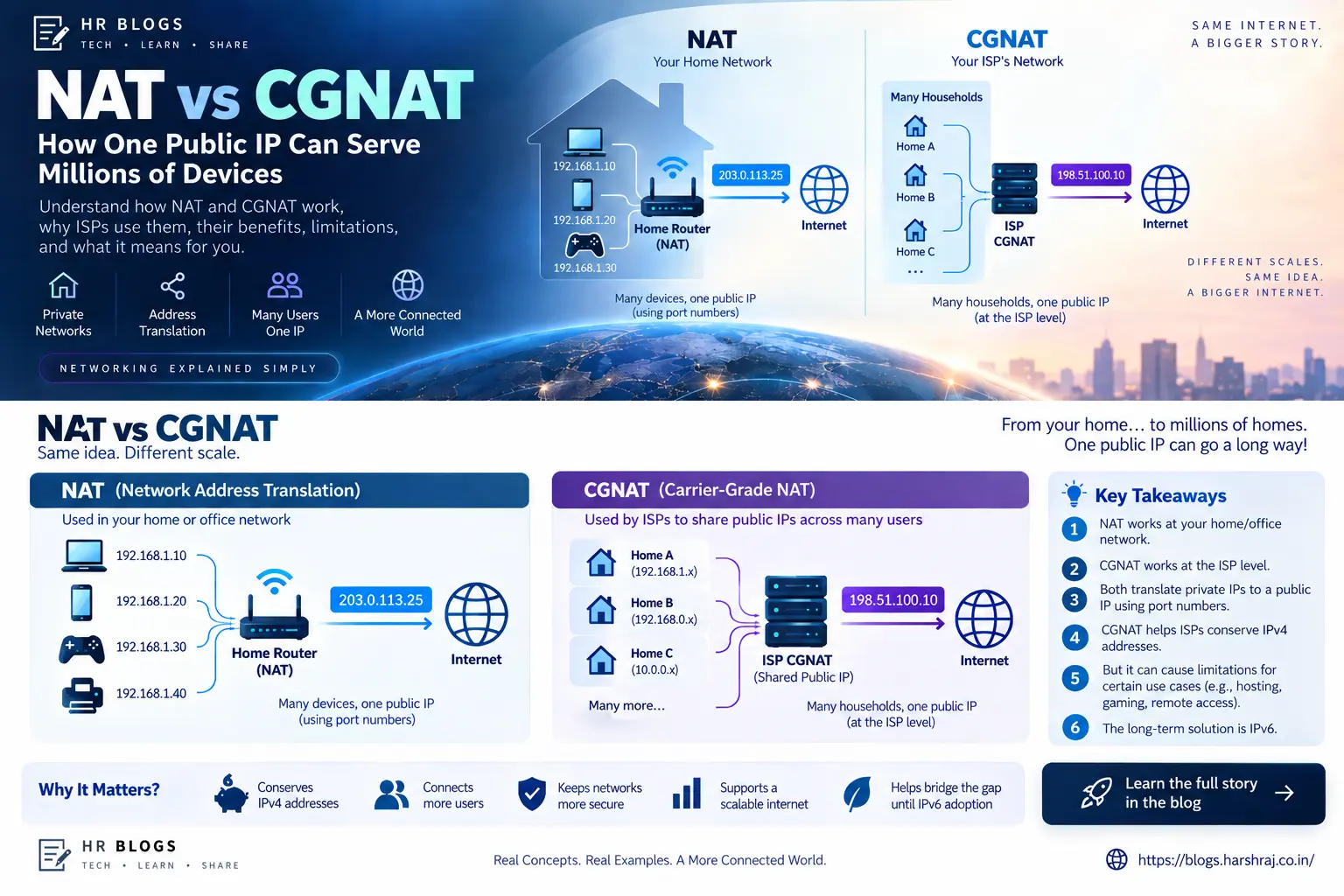
NAT and CGNAT solve the same basic problem — limited IPv4 addresses — but at very different scales:
- NAT lets multiple devices in your home share one public IPv4 address.
- CGNAT lets multiple customers of an ISP share public IPv4 addresses.
What is NAT?
NAT (Network Address Translation) runs on your router or firewall. Devices inside your network use private IPv4 addresses such as 10.0.0.0/8, 172.16.0.0/12, and 192.168.0.0/16.
Your router translates those private addresses to its public IPv4 address when traffic goes to the internet.
1
2
3
Laptop 192.168.1.10 ─┐
Phone  192.168.1.20 ──┼─> Home Router (NAT) ─> Public IPv4 ─> Internet
TV     192.168.1.30 ──┘
In most home networks this also uses PAT/NAPT, which separates connections using different port numbers.
NAT and firewalling are different. NAT changes addresses and ports; a firewall decides what traffic is allowed.
What is CGNAT?
CGNAT (Carrier-Grade NAT) moves NAT into your ISP’s network. Instead of only your devices sharing one public address, many homes can share the same pool of public IPv4 addresses.
1
2
3
Home A ─┐
Home B ─┼─> ISP CGNAT ─> Shared Public IPv4 ─> Internet
Home C ─┘
This helps ISPs conserve scarce IPv4 addresses while IPv6 adoption continues.
RFC 6598 reserves 100.64.0.0/10 (100.64.0.0 to 100.127.255.255) for carrier networks. If your router WAN address is inside this range, CGNAT is very likely.
NAT44 vs NAT444
A normal home setup is roughly:
1
192.168.1.10 -> Home NAT -> Public IPv4 -> Internet
With CGNAT there is another translation layer:
1
192.168.1.10 -> Home NAT -> 100.72.18.44 -> ISP CGNAT -> 198.51.100.10 -> Internet
This double IPv4 translation is commonly called NAT444.
NAT vs CGNAT
| Feature | NAT | CGNAT |
|---|---|---|
| Runs at | Your router | ISP network |
| Controlled by | You | ISP |
| Who shares the public IP | Your devices | Many customers |
| Port forwarding | Usually possible | Usually not possible directly |
| WAN address | Often public IPv4 | Often 100.64.0.0/10 or another non-public address |
| Main purpose | Connect a private LAN | Conserve ISP IPv4 addresses |
Why CGNAT can cause problems
Normal browsing, streaming, and most apps work fine because connections start from inside your network. Problems appear when you need incoming connections, such as:
- Hosting a web or game server
- Remote access to a home lab
- Running your own VPN server
- SSH or CCTV/NVR direct access
- Some peer-to-peer applications
Even if you configure port forwarding on your router, the ISP CGNAT layer is still upstream and outside your control.
How to check if you are behind CGNAT
- Check your router WAN IP. If it is within
100.64.0.0/10, CGNAT is likely. - Compare WAN IP with your public IP. If the two are different, another NAT layer exists upstream.
- Ask your ISP. This is the most reliable confirmation and some providers can move you to a public IPv4 address on request.
Example:
1
2
Router WAN: 100.72.18.44
Public IP:  198.51.100.10
Gaming, ping, and workarounds
CGNAT can affect games that depend on peer-to-peer or inbound connections, sometimes resulting in a strict or moderate NAT type. It does not automatically mean high ping; latency usually depends more on routing, congestion, peering, and distance.
If CGNAT is a problem, common options are:
- Ask the ISP for a public/static IPv4 address
- Use native IPv6
- Use an outbound VPN or overlay network
- Use a VPS as a reverse proxy or relay
IPv6 is the long-term answer
IPv6 provides enough address space for globally unique addresses without IPv4-style address sharing.
1
2
IPv4 -> NAT / CGNAT
IPv6 -> Global address + firewall
IPv6 does not remove the need for a firewall, but it reduces the need for address-sharing NAT.
Final takeaway
1
2
NAT   = many devices share one public IP
CGNAT = many customers share public IPs through the ISP
If port forwarding does not work, your WAN IP is in 100.64.0.0/10, or your router IP differs from your public IP, CGNAT should be one of the first things you check.