Hermes Agent RBAC: Read-Only Access to Kubernetes
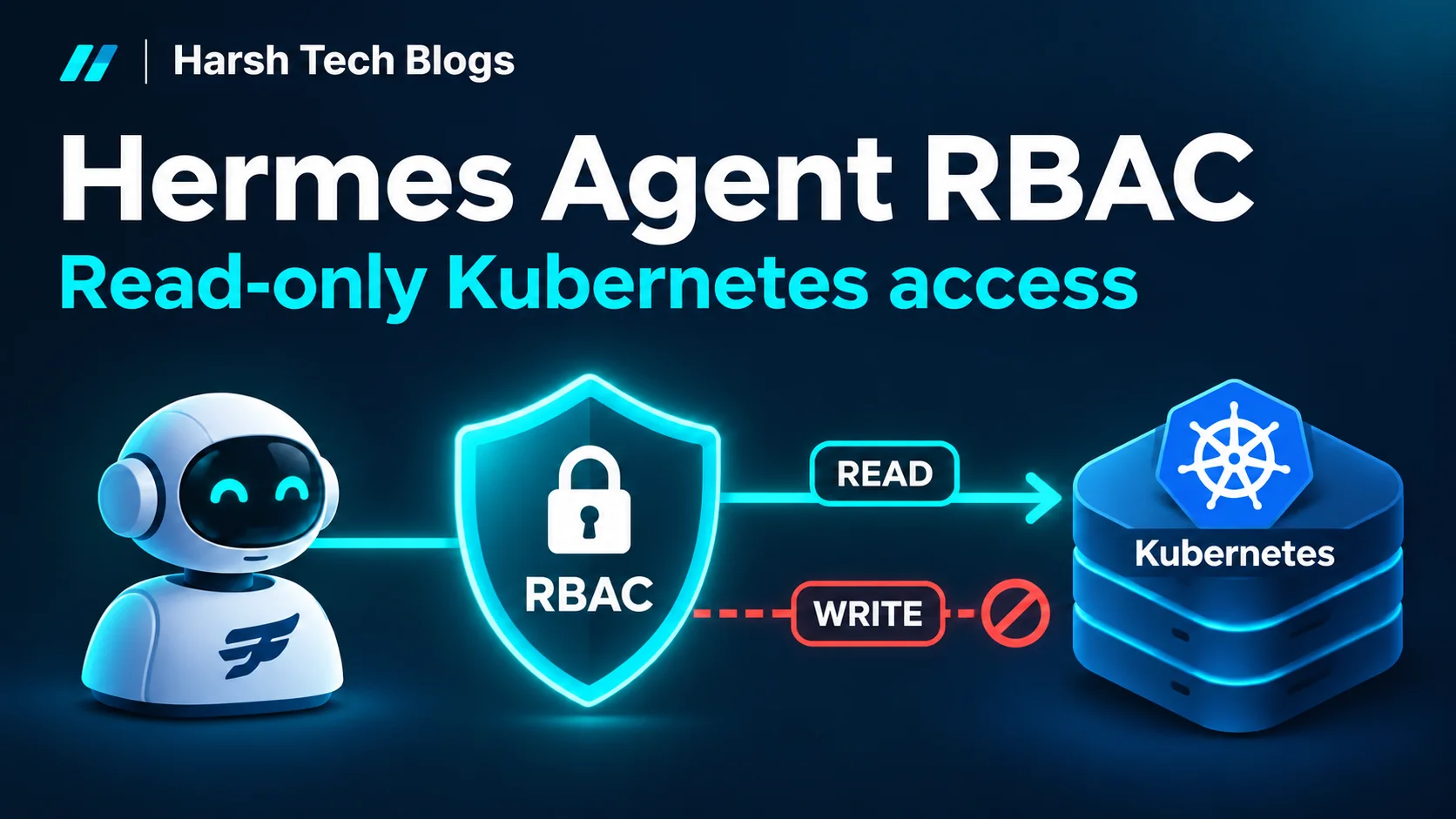
Give Hermes Agent read-only Kubernetes access with a dedicated ServiceAccount, RBAC, and kubeconfig. Verify that Secrets, exec, and writes stay blocked.
Prefer listening? Hear this post read aloud.
I added read-only Kubernetes access to Hermes Agent on k3s so it can investigate workloads without permission to change them or read Kubernetes Secrets. A ServiceAccount alone is not enough: the Pod must use that identity, its role must grant the right permissions, and the agent’s tools need the matching credentials.
Why agents need access limits
An agent troubleshooting a workload may try to read credentials, enter a container, or change a deployment. A broad task, a mistake, or instructions in untrusted content can take it beyond what I intended.
Hermes has security controls, but I also want the Kubernetes API to enforce a boundary. Every agent needs an explicit access scope; convenience is no reason to skip it. Give it no Kubernetes credentials if it has no Kubernetes task.
Before you start
This guide adds RBAC to Hermes already running as a Kubernetes Deployment. You need:
- A working Kubernetes/k3s cluster and a configured, running Hermes container with persistent state at
/opt/data. kubectland Python 3 on your Linux/macOS workstation, plus an administrator kubeconfig that can manage RBAC and the Deployment. Install kubectl if needed.- A
kubectlversion compatible with your cluster: within one minor version of the API server. - The official Hermes image’s Python at
/opt/hermes/.venv/bin/python, writable persistent/opt/data, and HTTPS access todl.k8s.iofor the client-install step.
If Hermes itself is not configured yet, complete the official container setup and deploy it first. Provider credentials and messaging setup are separate from Kubernetes permissions.
Understand the pieces
| Component | Purpose |
|---|---|
| ServiceAccount | Gives the Pod an identity: hermes-reader |
| ClusterRole | Lists the resources and actions that identity may use |
| ClusterRoleBinding | Connects the identity to the role across the cluster |
| Kubeconfig ConfigMap | Tells the client where the API, CA certificate, and token file are |
| Deployment patch | Selects the identity and mounts that kubeconfig |
kubectl inside Hermes | Lets its terminal tool make Kubernetes requests |
This example grants reads of listed workloads, services, events, ConfigMaps, networking and storage resources, logs, and metrics. It grants no Secret access, writes, exec, attach, port-forward, or RBAC administration.
The scope is cluster-wide, including nodes and other namespaces. For a single application’s diagnostics, use a namespace Role/RoleBinding and a smaller resource list. Kubernetes recommends least privilege.
1. Find your Deployment and choose example values
Run setup commands from your administrator workstation, not through the agent:
1
2
kubectl config current-context
kubectl get deployments -A
Set the namespace and Deployment name from that listing:
1
2
3
4
5
HERMES_NAMESPACE=hermes
HERMES_DEPLOYMENT=hermes
kubectl get deployment "$HERMES_DEPLOYMENT" -n "$HERMES_NAMESPACE" \
  -o jsonpath='{.spec.template.spec.containers[*].name}{"\n"}'
HERMES_CONTAINER=hermes
| Example value | What to change |
|---|---|
HERMES_NAMESPACE=hermes | Your existing namespace; for example, ai-tools |
HERMES_DEPLOYMENT=hermes | Your Deployment name; for example, hermes-gateway |
HERMES_CONTAINER=hermes | The Hermes container name printed above; for example, agent |
/opt/data | Persistent state path in the official image; adapt mount/install paths if your image differs |
These are generic examples, not private infrastructure values. Keep the same terminal open so the variables remain set.
2. Create the ServiceAccount, role, binding, and kubeconfig
Save the following as hermes-reader.yaml. If your namespace differs, replace every namespace: hermes with your value, such as namespace: ai-tools. Keep the identity names consistent.
1
2
3
4
5
6
7
8
9
10
11
12
13
14
15
16
17
18
19
20
21
22
23
24
25
26
27
28
29
30
31
32
33
34
35
36
37
38
39
40
41
42
43
44
45
46
47
48
49
50
51
52
53
54
55
56
57
58
59
60
61
62
63
64
65
66
67
68
69
70
71
72
73
74
75
76
77
78
79
80
81
82
83
84
85
86
87
88
89
90
91
92
93
94
95
96
97
98
99
100
101
102
103
104
105
106
107
108
109
# Example namespace: hermes. Review the cluster-wide resource list before applying.
apiVersion: v1
kind: ServiceAccount
metadata:
  name: hermes-reader
  namespace: hermes
automountServiceAccountToken: false
---
apiVersion: rbac.authorization.k8s.io/v1
kind: ClusterRole
metadata:
  name: hermes-cluster-reader
rules:
  - apiGroups: [""]
    resources:
      - pods
      - services
      - endpoints
      - events
      - configmaps
      - persistentvolumeclaims
      - persistentvolumes
      - namespaces
      - nodes
    verbs: ["get", "list", "watch"]

  - apiGroups: [""]
    resources: ["pods/log"]
    verbs: ["get"]

  - apiGroups: ["apps"]
    resources:
      - deployments
      - statefulsets
      - daemonsets
      - replicasets
      - controllerrevisions
    verbs: ["get", "list", "watch"]

  - apiGroups: ["batch"]
    resources: ["jobs", "cronjobs"]
    verbs: ["get", "list", "watch"]

  - apiGroups: ["autoscaling"]
    resources: ["horizontalpodautoscalers"]
    verbs: ["get", "list", "watch"]

  - apiGroups: ["networking.k8s.io"]
    resources: ["ingresses", "ingressclasses", "networkpolicies"]
    verbs: ["get", "list", "watch"]

  - apiGroups: ["discovery.k8s.io"]
    resources: ["endpointslices"]
    verbs: ["get", "list", "watch"]

  - apiGroups: ["policy"]
    resources: ["poddisruptionbudgets"]
    verbs: ["get", "list", "watch"]

  - apiGroups: ["storage.k8s.io"]
    resources: ["storageclasses", "volumeattachments", "csidrivers", "csinodes"]
    verbs: ["get", "list", "watch"]

  - apiGroups: ["events.k8s.io"]
    resources: ["events"]
    verbs: ["get", "list", "watch"]

  - apiGroups: ["metrics.k8s.io"]
    resources: ["pods", "nodes"]
    verbs: ["get", "list"]
---
apiVersion: rbac.authorization.k8s.io/v1
kind: ClusterRoleBinding
metadata:
  name: hermes-cluster-reader
subjects:
  - kind: ServiceAccount
    name: hermes-reader
    namespace: hermes
roleRef:
  apiGroup: rbac.authorization.k8s.io
  kind: ClusterRole
  name: hermes-cluster-reader
---
apiVersion: v1
kind: ConfigMap
metadata:
  name: hermes-reader-kubeconfig
  namespace: hermes
data:
  config: |
    apiVersion: v1
    kind: Config
    clusters:
      - name: local
        cluster:
          server: https://kubernetes.default.svc
          certificate-authority: /var/run/secrets/kubernetes.io/serviceaccount/ca.crt
    users:
      - name: hermes-reader
        user:
          tokenFile: /var/run/secrets/kubernetes.io/serviceaccount/token
    contexts:
      - name: hermes-reader
        context:
          cluster: local
          user: hermes-reader
          namespace: hermes
    current-context: hermes-reader
The role allows get, list, and watch for its listed resources, get for logs, and get/list for metrics. Resources omitted from this role receive no permission from it.
The kubeconfig stores file paths, not a pasted token. Kubernetes mounts the Pod’s service-account credentials; the client reads the current token through tokenFile. Its default namespace does not restrict the cluster-wide binding.
3. Connect the existing Hermes Deployment
Save this as hermes-rbac-patch.yaml. Change containers: - name: hermes to the container name from step 1 if necessary. This is a strategic merge patch, not a complete Deployment.
1
2
3
4
5
6
7
8
9
10
11
12
13
14
15
16
17
18
spec:
  template:
    spec:
      serviceAccountName: hermes-reader
      automountServiceAccountToken: true
      containers:
        - name: hermes
          env:
            - name: KUBECONFIG
              value: /opt/data/.kube/config
          volumeMounts:
            - name: reader-kubeconfig
              mountPath: /opt/data/.kube
              readOnly: true
      volumes:
        - name: reader-kubeconfig
          configMap:
            name: hermes-reader-kubeconfig
The ServiceAccount disables automatic token mounting by default. This Pod explicitly enables it because it needs the API; the Pod setting takes precedence.
For a manually managed Deployment, apply the resources and patch:
1
2
3
4
5
6
7
8
kubectl apply --dry-run=server -f hermes-reader.yaml
kubectl apply -f hermes-reader.yaml
kubectl patch deployment "$HERMES_DEPLOYMENT" -n "$HERMES_NAMESPACE" \
  --type=strategic --patch-file hermes-rbac-patch.yaml --dry-run=server
kubectl patch deployment "$HERMES_DEPLOYMENT" -n "$HERMES_NAMESPACE" \
  --type=strategic --patch-file hermes-rbac-patch.yaml
kubectl rollout status deployment/"$HERMES_DEPLOYMENT" \
  -n "$HERMES_NAMESPACE" --timeout=240s
Strategic merging matches the container by name and retains its existing image and unrelated settings. A wrong name can add an invalid second container, so check it first. The Pod template change triggers replacement; allow for a service interruption.
Helm/GitOps users: put these resources and the equivalent Pod changes in your chart or desired manifests, then deploy through that workflow. Direct patches may be overwritten by the next reconciliation. My setup uses Helm and GitOps; this Helm guide covers installation.
Remove any alternative administrator kubeconfigs or credentials reachable through the agent’s files or tools. Setting KUBECONFIG chooses a default; it does not prevent using another credential.
4. Give the agent a Kubernetes client
This installs a checksum-verified Linux client in persistent storage, using your workstation’s compatible kubectl version. It runs Python inside the Hermes container, so it does not need curl, tar, or a package manager there.
1
2
3
4
5
6
7
8
9
10
11
12
13
14
15
16
17
18
19
20
21
22
23
24
25
26
KUBECTL_VERSION=$(kubectl version --client -o json | \
  python3 -c 'import json,sys; print(json.load(sys.stdin)["clientVersion"]["gitVersion"])')
kubectl exec -i -n "$HERMES_NAMESPACE" deployment/"$HERMES_DEPLOYMENT" \
  -c "$HERMES_CONTAINER" -- /opt/hermes/.venv/bin/python - "$KUBECTL_VERSION" <<'PYTHON'
import hashlib
import pathlib
import platform
import sys
import urllib.request

arch = {"x86_64": "amd64", "aarch64": "arm64"}.get(platform.machine())
if not arch:
    raise SystemExit("Use the Kubernetes install guide for this architecture")
url = f"https://dl.k8s.io/release/{sys.argv[1]}/bin/linux/{arch}/kubectl"
with urllib.request.urlopen(url, timeout=60) as response:
    binary = response.read()
with urllib.request.urlopen(url + ".sha256", timeout=30) as response:
    expected = response.read().decode().strip().split()[0]
if hashlib.sha256(binary).hexdigest() != expected:
    raise SystemExit("Checksum mismatch; nothing installed")
target = pathlib.Path("/opt/data/bin/kubectl")
target.parent.mkdir(parents=True, exist_ok=True)
target.write_bytes(binary)
target.chmod(0o755)
print("Installed", target)
PYTHON
This follows the official Linux download and checksum approach. Use /opt/data/bin/kubectl explicitly in agent commands; no PATH change is needed.
Hermes must execute those commands inside this Pod. For this in-Pod setup, select the local terminal backend in the existing persistent Hermes configuration:
1
2
kubectl exec -n "$HERMES_NAMESPACE" deployment/"$HERMES_DEPLOYMENT" \
  -c "$HERMES_CONTAINER" -- hermes config set terminal.backend local
This updates terminal.backend rather than replacing the rest of your configuration. Here, local means the Hermes container. An SSH, Docker, or cloud backend executes elsewhere and does not automatically receive these mounts. Hermes documents the backend choices here.
Restart Hermes after changing its configuration. For the manually managed Deployment:
1
2
3
kubectl rollout restart deployment/"$HERMES_DEPLOYMENT" -n "$HERMES_NAMESPACE"
kubectl rollout status deployment/"$HERMES_DEPLOYMENT" \
  -n "$HERMES_NAMESPACE" --timeout=240s
5. Verify the identity and effective permissions
List the actual Pods and their identities:
1
2
kubectl get pods -n "$HERMES_NAMESPACE" \
  -o custom-columns=NAME:.metadata.name,SERVICEACCOUNT:.spec.serviceAccountName
The Hermes Pod should show hermes-reader. Next, define a workstation helper that runs the client inside Hermes using its mounted credentials:
1
2
3
4
5
6
7
8
9
10
11
12
hermes_kubectl() {
  kubectl exec -n "$HERMES_NAMESPACE" deployment/"$HERMES_DEPLOYMENT" \
    -c "$HERMES_CONTAINER" -- /opt/data/bin/kubectl "$@"
}
hermes_kubectl auth whoami -o jsonpath='{.status.userInfo.username}{"\n"}'
hermes_kubectl auth can-i list pods -A                         # yes
hermes_kubectl auth can-i get pods --subresource=log -n "$HERMES_NAMESPACE" # yes
hermes_kubectl auth can-i list secrets -A                      # no
hermes_kubectl auth can-i patch deployments.apps -n "$HERMES_NAMESPACE" # no
hermes_kubectl auth can-i delete pods -n "$HERMES_NAMESPACE"    # no
hermes_kubectl auth can-i create pods --subresource=exec -n "$HERMES_NAMESPACE" # no
hermes_kubectl get pods -n "$HERMES_NAMESPACE"
auth whoami should print system:serviceaccount:hermes:hermes-reader (with your namespace substituted). This checks the identity actually used by the client.
These comments are expected results, not captured live output. A denied can-i check returns a nonzero status; that is expected. The administrator’s ability to enter Hermes does not give Hermes permission to enter other Pods.
Finally, ask Hermes: “Use /opt/data/bin/kubectl to list Pods in the hermes namespace. Do not modify anything.” Replace the namespace with yours. Check the tool result, not just the agent’s explanation; this confirms the terminal backend can use the client.
If something fails
| Symptom | Check |
|---|---|
| Pod fails to start after the patch | Correct container name, existing namespace, ServiceAccount, and ConfigMap |
| Missing client or permission denied | Step 4 completed; /opt/data persists across Pod replacement; binary is executable |
| Unauthorized / missing token | Pod identity, token automount, and kubeconfig token path |
| Forbidden for an expected read | Role resource/API group and binding subject namespace |
Secrets or writes unexpectedly return yes | Other bindings or alternative credentials; RBAC grants are additive |
| Timeout / certificate error | Pod-to-API networking, cluster DNS, and mounted CA; do not disable TLS verification |
| Metrics query fails | Metrics Server/API availability; permission alone does not install it |
| Agent fails but workstation helper works | Terminal backend, enabled terminal tool, and the explicit client path |
Keep the other access boundaries too
- Logs, ConfigMaps, and Pod specifications can expose sensitive values even without Secret access. Remove unnecessary reads.
- RBAC does not restrict mounted files, provider credentials, MCP permissions, or outbound networking.
- Use separate approval and credentials for intentional changes. An agent’s read-only diagnostic identity should stay read-only.